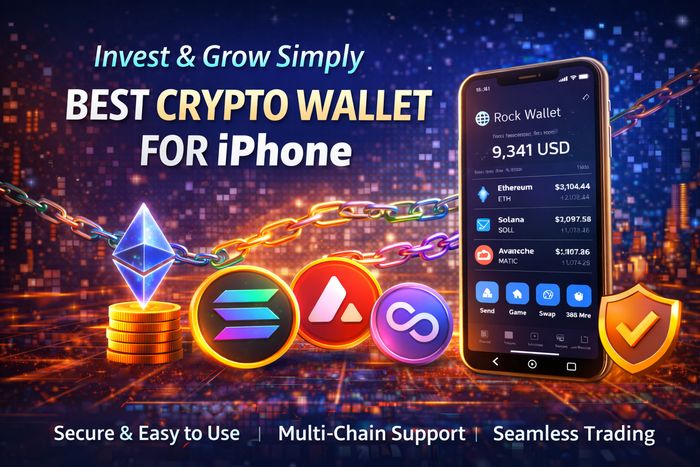
Best Crypto Wallet for iPhone (2026): The Complete iOS Guide for Security, DeFi, and Daily Use
Looking for the best crypto wallet for iPhone means you want more than a simple place to store coins. On iOS, the right wallet should feel fast and intuitive, but it also must protect you from the most common risks: phishing links, fake tokens, malicious approvals, and risky “connect wallet” popups.
In this in-depth guide, you’ll learn what makes a wallet truly great on iPhone, how to compare iOS crypto wallets, and which options stand out for convenience and functionality—especially if you want a modern Web3 experience across swaps, DeFi, and NFTs. We’ll focus on three popular ecosystems that many iPhone users consider: BITGET, BYBIT, and MEXC.
Disclaimer: This article is for educational purposes only and does not constitute financial advice. Crypto and DeFi involve risk, including potential loss of funds. Always verify addresses and use best security practices.
What makes the best crypto wallet for iPhone?
iPhone users often expect “it just works” experiences—Face ID, smooth navigation, strong privacy defaults, and stable performance. A truly great iOS crypto wallet combines this with serious security and Web3 capability. Here are the most important criteria:
1) iOS-grade security and privacy
- Face ID / Touch ID lock and a secure passcode
- Local key protection and clean backup options (no risky shortcuts)
- Anti-phishing design: clear domain checks, warning popups, and safe connection flows
- Permission controls: easy token approval reviews and revocations
2) Reliable multi-chain support
The best iPhone wallets support multiple chains without forcing you into manual network configs. This matters if you swap assets across networks, use stablecoins on different chains, or participate in DeFi.
3) Smooth swaps, bridging, and DeFi access
Wallets have evolved: many now offer swap aggregators, built-in DeFi browsing, and guided cross-chain routes. On iPhone, the best wallets minimize steps, clearly show fees, and help prevent sending funds to the wrong network.
4) Portfolio visibility and risk warnings
A good wallet helps you understand what you own, where it is, and what it’s doing—tokens, NFTs, staking positions, and sometimes DeFi exposure. Bonus points if the wallet flags suspicious tokens or risky approvals.
5) A user experience that fits mobile life
Mobile wallets must be fast. The best iPhone crypto wallet should load balances quickly, confirm transactions clearly, and avoid clutter. If the UI is confusing, users make mistakes—and in crypto, mistakes can be expensive.
Quick recommendations (best picks)
Best Overall iPhone Web3 Wallet: BITGET Wallet
Ideal if you want one iOS wallet for multi-chain assets, swaps, DeFi exploration, and a modern “all-in-one” Web3 feel.
Best for CEX + Web3 Flow on iPhone: BYBIT Web3 Wallet
Great if you actively trade on an exchange and still want quick access to on-chain tokens, swaps, and Web3 features.
Best for Exchange-First Users Entering Web3: MEXC Wallet
A practical choice if your crypto routine starts on an exchange but you want to expand into iOS-friendly Web3 usage.
BITGET Wallet on iPhone: best all-in-one choice for mobile Web3
If your definition of the best crypto wallet for iPhone includes more than storage—like swapping, discovering DeFi, managing NFTs, and tracking a multi-chain portfolio—then BITGET Wallet is a strong match. It’s built to function as a mobile Web3 hub, which is exactly what most iPhone users want: fewer apps, fewer steps, and a clean workflow from “open wallet” to “do the thing.”
Why it stands out on iOS
- Mobile-first usability: fast navigation, practical layout, and fewer advanced settings clutter
- Multi-chain asset management: helpful if you hold tokens across different ecosystems
- Swap + DeFi readiness: built-in tools that reduce friction for common on-chain actions
- Good everyday fit: works well for quick checks, transfers, and casual DeFi activity from your phone
Best for
- iPhone users who want a single wallet for storage + swaps + DeFi
- People managing tokens and NFTs across multiple networks
- Users who want a modern Web3 “home base” on iOS

Recommended iPhone setup (safer usage)
- Create two wallets: a hot wallet for daily use and a vault wallet for long-term holdings
- Keep only spending funds in the hot wallet (your “DeFi budget”)
- Use Face ID lock and a strong passcode
- Review token approvals regularly (see common mistakes)
BYBIT Web3 Wallet on iPhone: best for hybrid trading + Web3
Many iPhone users live in a “hybrid” world: they trade on centralized platforms, but they also want to catch on-chain opportunities— early liquidity, niche tokens, trending ecosystems, and DeFi yields. BYBIT Web3 Wallet is built for this reality: it’s often chosen by users who want a smoother transition between exchange-style workflows and Web3 actions on iOS.
Why it’s useful for iPhone users
- Hybrid-friendly experience: helpful if you frequently move between trading and on-chain activity
- Convenient on mobile: designed to reduce “too many steps” friction that kills mobile DeFi usage
- Great for active traders: a practical iOS option if you rebalance often and chase market cycles
Best for
- Users who trade frequently and want quick iPhone access to Web3 tokens and swaps
- People who don’t want complex manual setups on mobile
- Those who want a practical “bridge” from exchange habits to DeFi usage
MEXC Wallet on iPhone: best for exchange-first users entering Web3
If you’re comfortable with an exchange interface and want to gradually expand into on-chain features, MEXC Wallet can be a reasonable option for iPhone. The key benefit here is psychological and practical: when the experience feels familiar, users make fewer mistakes and are more willing to learn step-by-step.
Why iPhone users consider it
- Exchange-first comfort: good if you want a familiar style while learning Web3
- Multi-chain direction: useful if you hold tokens across different ecosystems
- NFT + Web3 features: can be practical if you mix NFTs, communities, and DeFi

Best for
- Users who mostly trade on exchanges but want to start using Web3 on iPhone
- People who prefer a simpler entry point before going fully DeFi-native
- Anyone who wants a mobile-friendly way to explore tokens and NFTs across chains
iPhone crypto wallet setup: the secure way
Most losses happen due to setup mistakes, not advanced hacks. If you want the best iOS crypto wallet experience, use this security-first setup checklist:
Step-by-step secure setup
- Enable Face ID (or Touch ID) and set a strong device passcode
- Create a fresh wallet and write down the backup phrase offline (never screenshots, never cloud notes)
- Turn on wallet lock (Face ID / passcode) inside the wallet settings
- Create two addresses: hot wallet (daily) and vault wallet (savings)
- Test with a small transfer before moving larger funds
Optional, highly recommended protection
- Use a dedicated “DeFi explorer” wallet for unknown protocols
- Keep your vault wallet disconnected from dApps
- Regularly review token approvals and revoke old permissions
Daily iPhone workflows: sending, swapping, DeFi
Here are practical mobile workflows that show what the best crypto wallet for iPhone should make easy:
1) Sending crypto from iPhone without mistakes
- Confirm the receiving network (e.g., don’t send on the wrong chain)
- Verify the address by checking the first and last characters
- Send a small test transaction first (especially for new addresses)
- Only then send the full amount
2) Swapping tokens on mobile
- Choose tokens with strong liquidity to reduce slippage
- Set slippage conservatively; increase only if needed
- Watch total cost: gas + swap fee + price impact
- Avoid swapping into random tokens from ads or suspicious links
3) Entering DeFi safely from iOS
- Start with reputable protocols and simple actions (swap, lend, or stake)
- Keep DeFi funds in your hot wallet only
- Don’t sign unlimited approvals unless absolutely necessary
- Review approvals monthly and revoke anything you don’t use
Common iOS crypto wallet mistakes (and how to avoid them)
Mistake #1: Saving seed phrases in screenshots or Notes
This is the #1 iPhone crypto mistake. Screenshots can sync to iCloud. Notes can be exposed. Store your backup phrase offline in a secure physical location.
Mistake #2: Clicking “connect wallet” from random links
Many phishing sites look identical to real dApps. Always use trusted bookmarks and double-check domains.
Mistake #3: Unlimited approvals everywhere
Unlimited allowances can drain your funds if a dApp is compromised. Use limited approvals when possible and revoke permissions you no longer need.
Mistake #4: Holding too much in the wallet you use daily
Keep your long-term holdings in a vault wallet. Use the daily wallet like a spending account. This habit alone reduces risk dramatically.
FAQ
What is the best crypto wallet for iPhone?
The best wallet depends on your needs. If you want an all-in-one iOS Web3 hub, BITGET Wallet is a strong option. If you want a hybrid exchange + Web3 flow, BYBIT Web3 Wallet can be ideal. If you’re exchange-first and learning Web3 step-by-step, MEXC Wallet may be a practical fit.
Is an iPhone crypto wallet safe?
It can be safe if you follow best practices: enable Face ID lock, keep seed phrases offline, avoid phishing links, limit token approvals, and use separate hot and vault wallets.
Should I use a hot wallet or hardware wallet with iPhone?
A hot wallet is convenient for daily spending and DeFi. For larger long-term holdings, consider a vault setup and reduce your hot wallet balance. Advanced users often pair mobile wallets with hardware security for maximum protection.
Can I use DeFi on iPhone?
Yes. Many modern iOS wallets offer built-in dApp browsing and swapping. Start small, use reputable protocols, and keep DeFi funds limited to your hot wallet.
Bottom line: The best crypto wallet for iPhone is the one that matches your real routine: daily swaps and Web3 usage (BITGET), hybrid trading + on-chain access (BYBIT), or exchange-first Web3 entry (MEXC). Whichever you choose, use strong iOS security habits and keep a separate vault wallet for long-term funds.