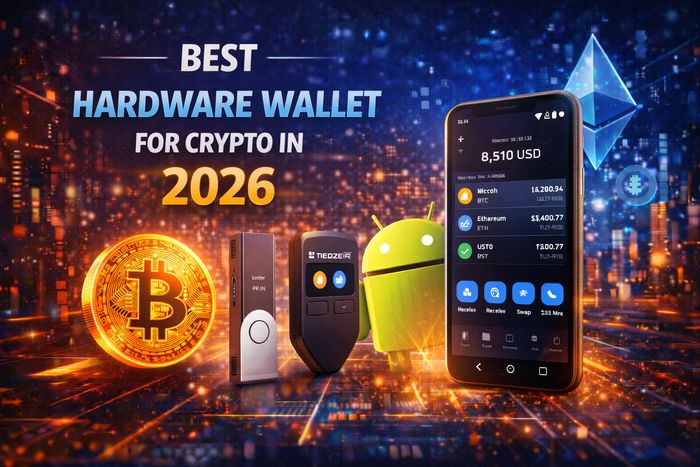
Best Hardware Wallet for Crypto in 2026: Top Picks, Security Checklist, and Smart Setup
Searching for the best hardware wallet for crypto in 2026 usually means you want one thing: stronger protection than a phone or exchange account can provide. A hardware wallet keeps your private keys off your everyday devices and signs transactions in a more isolated environment—dramatically reducing the risk of malware, phishing, and “oops” moments that can wipe out a portfolio.
This guide explains how to choose the right hardware wallet, what features truly matter (and what’s mostly marketing), how to buy safely, and how to set up a Vault & Spending system that keeps your long-term holdings protected while still allowing you to trade or use DeFi when you want.
What a hardware wallet does (and what it doesn’t)
A hardware wallet is a device designed to keep your private keys more isolated from the internet. In simple terms:
- Private keys stay on the device (or are derived there).
- Transactions are signed on the device, not on your laptop/phone.
- Your computer/phone can be infected and you can still stay safer—if you verify what you’re signing.
What it does NOT do: it can’t protect you from approving malicious smart contracts, sending to the wrong address/network, or giving away your seed phrase. Many “hardware wallet hacks” are really user errors (phishing + blind signing + bad approvals).
Who should use a hardware wallet in 2026?
You should strongly consider a hardware wallet if any of the following are true:
- You hold more than you’re comfortable losing on a mobile wallet.
- You plan to hold long-term (months/years).
- You actively use exchanges and want to reduce custodial exposure.
- You use DeFi and want a safer signing environment.
Many users trade on platforms like BYBIT and then move profits to hardware-wallet “vault” storage. The key idea: trade on platforms, store long-term in cold storage.
Key features that actually matter
Don’t get distracted by flashy screens or buzzwords. Focus on these fundamentals:
1) Clear on-device verification
The most important feature is the ability to verify on the device what you’re signing—addresses, amounts, and (where possible) contract interactions. Bigger screens can help, but clarity matters more than size.
2) Secure element vs fully open hardware (risk trade-offs)
Some devices use a secure element to harden key storage. Others emphasize open hardware philosophies. There isn’t one “perfect” approach—what matters is the overall design, track record, and how well the device supports secure verification and backups.
3) Passphrase support (advanced but powerful)
A passphrase (sometimes called a “25th word”) can create a hidden wallet on top of your seed phrase. It can protect you in scenarios like coercion or partial exposure—but it adds complexity. If you use it, you must back it up correctly and consistently.
4) Multisig compatibility (for higher-value vaults)
For serious holdings, multisig can reduce single-point-of-failure risk. It’s not beginner-friendly, but it’s one of the strongest long-term storage patterns if you’re comfortable with the operational overhead.
5) Real-world usability
- Reliable firmware updates
- Good recovery process
- Strong documentation
- Stable companion app support

How to buy safely (avoid tampered devices)
Most hardware wallet disasters start before setup—when the device is purchased from an untrusted source. Follow these rules:
- Buy from official stores or authorized resellers whenever possible.
- Avoid second-hand devices for long-term storage.
- Inspect packaging and seals (but remember: seals alone are not proof).
- During setup, ensure the device generates your seed phrase on first initialization (never accept a pre-printed seed).
Red flag: If your device arrives with a seed phrase card already filled in, it’s a scam. Do not use it.
Secure setup checklist (step-by-step)
Use this checklist to set up your hardware wallet properly:
Step 1: Initialize and generate a new seed phrase
- Create a brand-new wallet on the device.
- Write the recovery phrase down offline.
- Never take photos, screenshots, or store the seed in cloud notes/email.
Step 2: Create a strong PIN
Use a PIN that’s not easily guessable. Avoid “1234”, birthdays, or patterns.
Step 3: Consider a passphrase (optional)
If you understand the operational risk, a passphrase can add strong protection. If you’re unsure, skip it—complexity can cause self-lockout.
Step 4: Update firmware using official software
Do firmware updates only through official companion apps and verified sources.
Step 5: Test recovery (critical)
Before storing serious funds, verify you can restore the wallet from the seed phrase. Many people skip this and discover mistakes only when it’s too late.
Step 6: Do a small test deposit and withdrawal
Send a small amount to the hardware wallet address. Then send a small amount back. Confirm you understand the workflow and fees.

Vault & Spending strategy (best practice)
The most practical “best hardware wallet” approach is not a single product—it’s a system:
1) Vault (hardware wallet)
- Stores long-term holdings
- Rarely connects to dApps
- Moves funds infrequently
2) Spending (mobile or exchange balance)
- Small working balance for swaps, trading, DeFi
- If compromised, losses are limited
This setup also helps with disciplined investing: you’re less tempted to panic trade long-term positions.
Using DeFi with a hardware wallet: approvals & risk control
Hardware wallets improve key security, but DeFi introduces a different class of risk: smart contract approvals.
What is an approval?
Approvals let a smart contract spend your tokens. If you approve a malicious contract (or unlimited allowance), you can lose funds—even if your seed phrase is safe.
DeFi safety rules (2026)
- Use a separate DeFi “spending” wallet for risky activity.
- Avoid unlimited approvals unless you fully trust the contract.
- Verify domains; avoid clicking random links from social media.
- When signing, read what you can and slow down—rushed “claim now” flows are common scams.
Common mistakes that still cause losses
1) Storing the seed phrase digitally
This is still the #1 failure mode: screenshots, cloud notes, email drafts, password managers without strong threat modeling. Keep it offline.
2) Buying from untrusted sellers
Second-hand or “too cheap” devices can be compromised. Buy from trusted sources.
3) Blind signing and wrong-network transfers
Always verify addresses on-device and match networks on both sides. Test with small amounts.
4) Using the vault wallet for everything
If you connect your vault wallet to every dApp and sign everything, you defeat the point. Keep the vault “boring.”
CTA: Build a safer 2026 storage system
Use a hardware wallet as your Vault, keep only a small Spending balance on mobile/exchanges, and always test transfers with small amounts. Security is a routine, not a product feature.
Follow the Secure Setup ChecklistFAQ: Best Hardware Wallet for Crypto in 2026
What is the best hardware wallet for crypto in 2026?
The best choice is the device (and setup) that lets you verify transactions clearly, secure your seed phrase offline, and support your preferred security model (PIN, passphrase, multisig). For most people, the “best” result comes from a Vault & Spending system rather than a single device feature.
Is a hardware wallet worth it for small amounts?
If your holdings are small, a well-secured mobile wallet can be enough. Hardware wallets become more “worth it” as your holdings grow or if you want strong long-term storage with fewer online risks.
Can a hardware wallet be hacked?
Direct device compromise is uncommon compared to phishing and user mistakes. The biggest risks are seed phrase theft, buying a tampered device, and approving malicious contracts.
Should I use a passphrase?
Passphrases can add strong protection but also increase complexity. Use one only if you understand backup and recovery requirements—otherwise you risk locking yourself out.
What’s the safest way to move funds from an exchange to a hardware wallet?
Withdraw a small test amount first, confirm the address and network, then move larger amounts. Keep your vault wallet separate from daily-use DeFi activity.